How to cancel your subscription
Последнее изменение:
If you are a credit/debit card subscriber, please follow these steps:
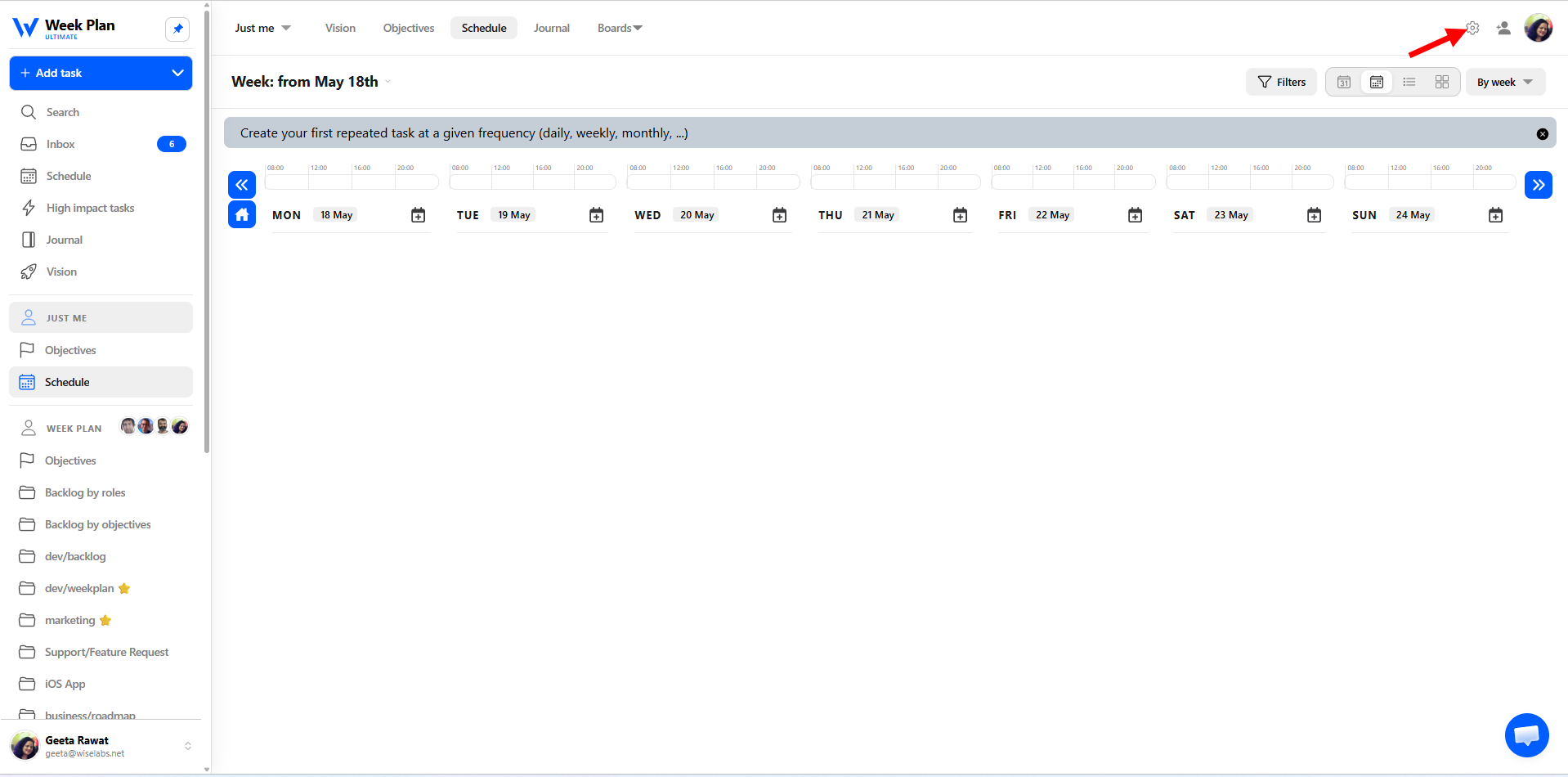
- Go to Settings from the top menu bar as shown below:
- Click Account Settings Tab
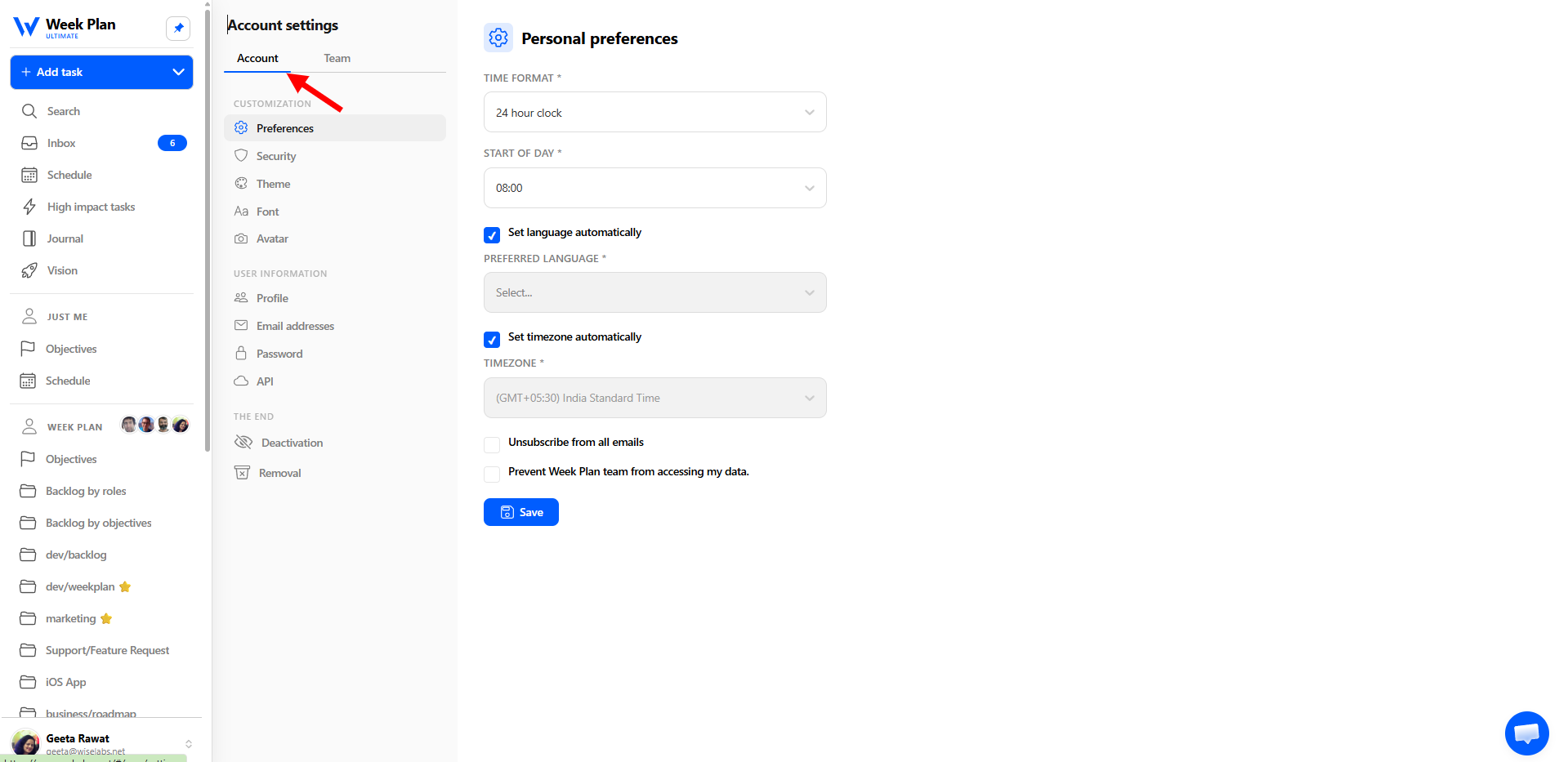
Or
Click the avatar in the bottom left as shown in the screenshot: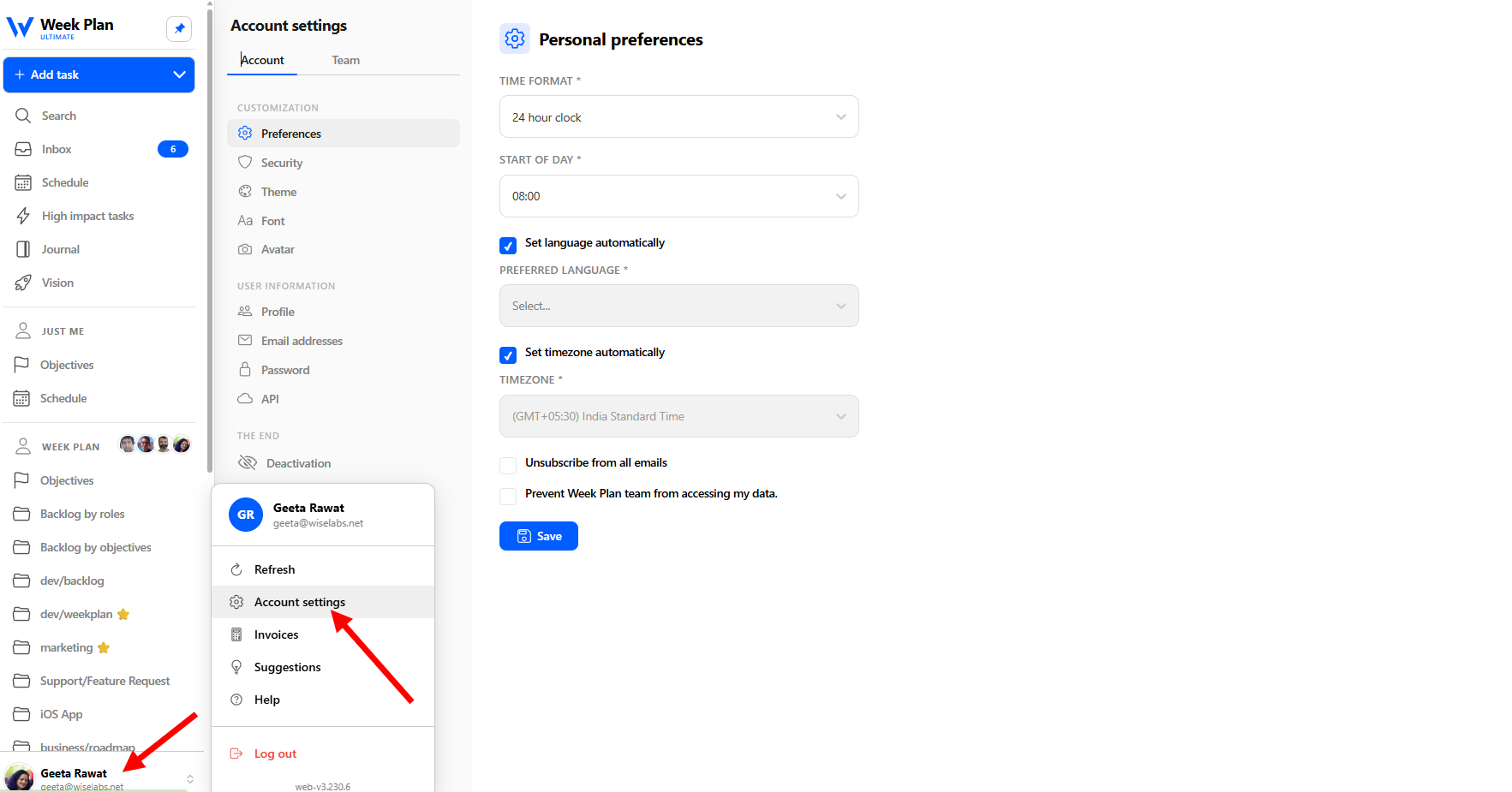
- Under the Plan Management section, click on Current Plan. Click the “Click here to manage your subscription” button.
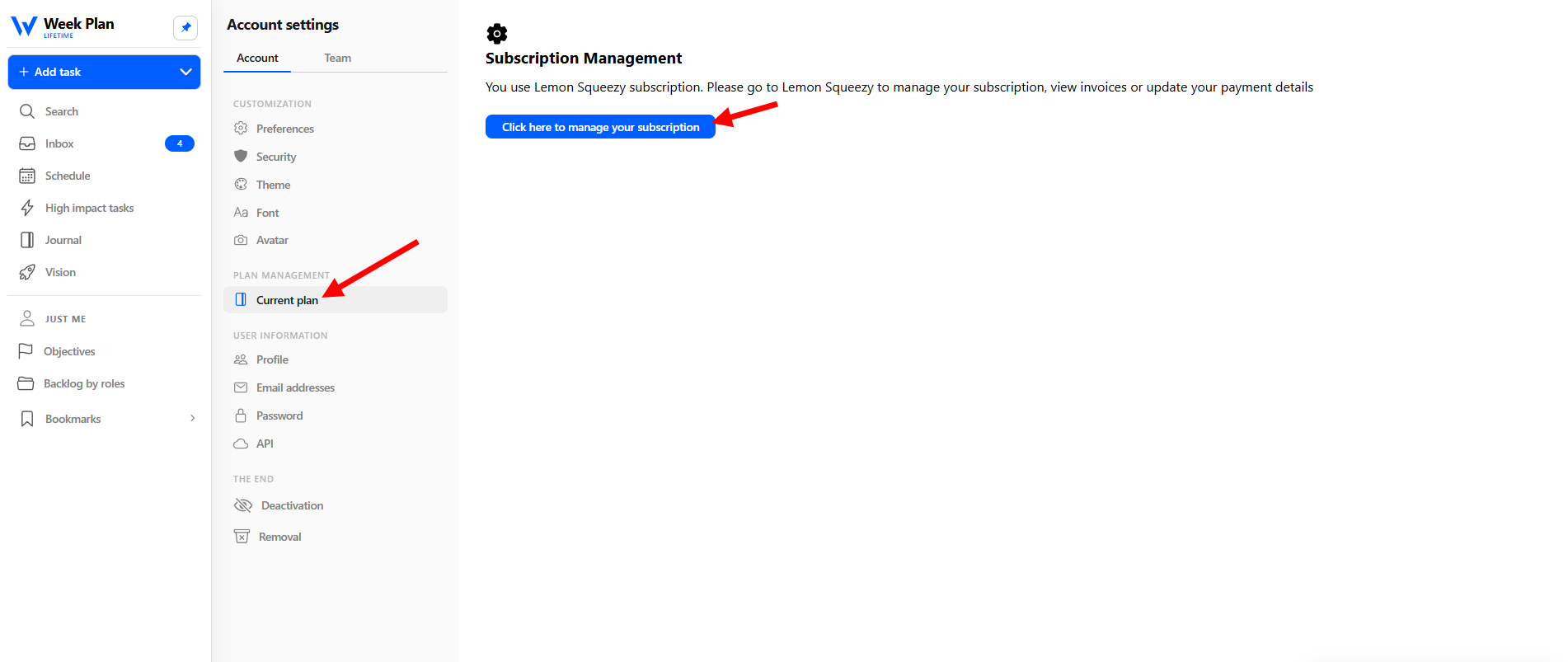
- You will be redirected to the Lemon Squeezy customer portal, where you can manage your subscription, update payment details, view invoices, or cancel your subscription.
*** If you are using PayPal as your payment method, it is best to cancel your auto-subscription as well. You may find helpful information here:
***If you purchased the subscription from the iOS app, please cancel the subscription by following the steps given here: